
Organize your guests in one place
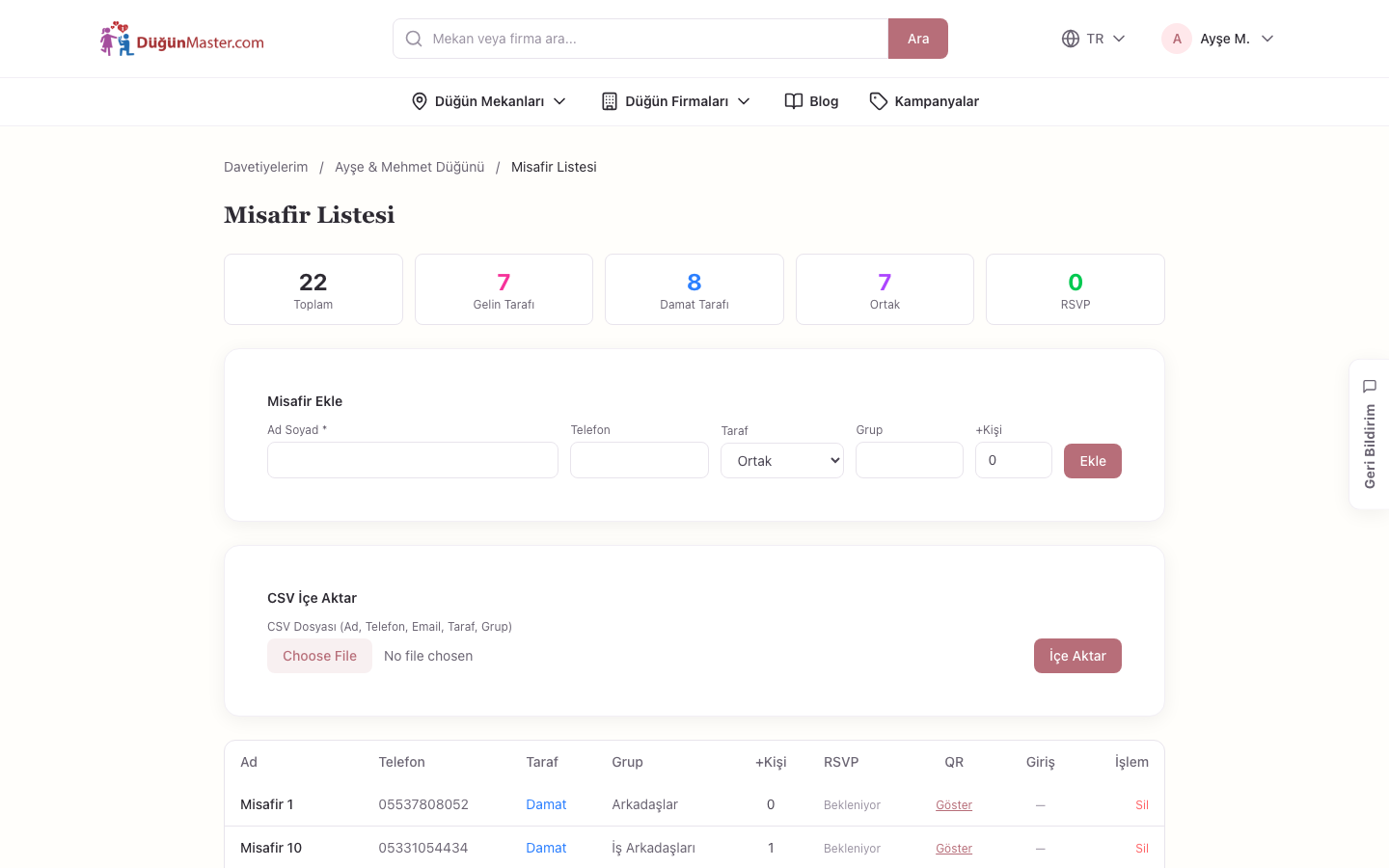
Add your guests, group them by family, and keep their attendance status and contact information in a single list.
How does it work?
Add your guests
Create your guest list with name, phone, and group information.
Group and organize
Keep families and groups of friends together, mark your VIP guests.
Place at tables
After creating your list, assign your guests directly to tables in the seating plan.
Frequently Asked Questions
-
You can build your list by adding your guests individually or in bulk with their name, phone, and group information.
-
Yes, you can separate your guests by the bride's/groom's side or by family/friend groups you define yourself.
-
Each guest's attendance status (attending, not attending, awaiting response) appears instantly in the list.
-
Yes, after creating your guest list, you can place your guests directly at tables in the seating plan.
-
Yes, the guest list tool is completely free.
You have added your guests. When your venue shares a plan, place them at tables.
These might also be useful to you
Weather
Find out in advance what the weather will be like on your wedding day.
See detailsBudget Planner
Set your wedding budget, compare your estimated and actual expenses, and instantly see how much is left.
See detailsSeating Plan
Easily organize your guests in the seating plan shared by your venue.
Available when the venue shares a plan
See details